
CAD Integration
The "CAD Integration" Module from Babtec
Computer-aided design applications (CAD for short) are standard in many manufacturing companies. CAD software helps design products and simulate their behavior in a wide variety of application situations. With our software solution, you automatically stamp the drawing dimensions and use the resulting data in a time-efficient and -effective way to improve the quality of the products.

Minimizing Effort
through automatic recognition of your drawing dimensions
Actuality
thanks to the guided drawing dimension comparison

Comprehensive Use
of your CAD drawings for quality inspections
More Efficiency with 3D CAD Models
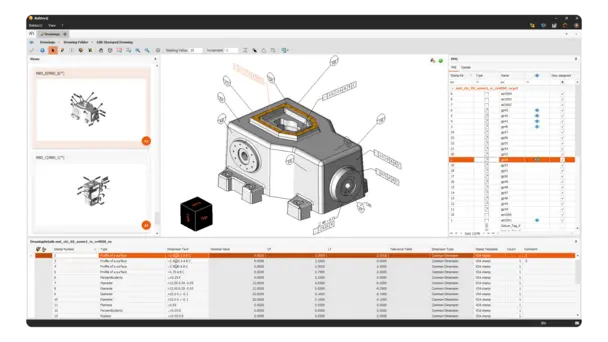
Source of 3D model: National Institute of Standards and Technology
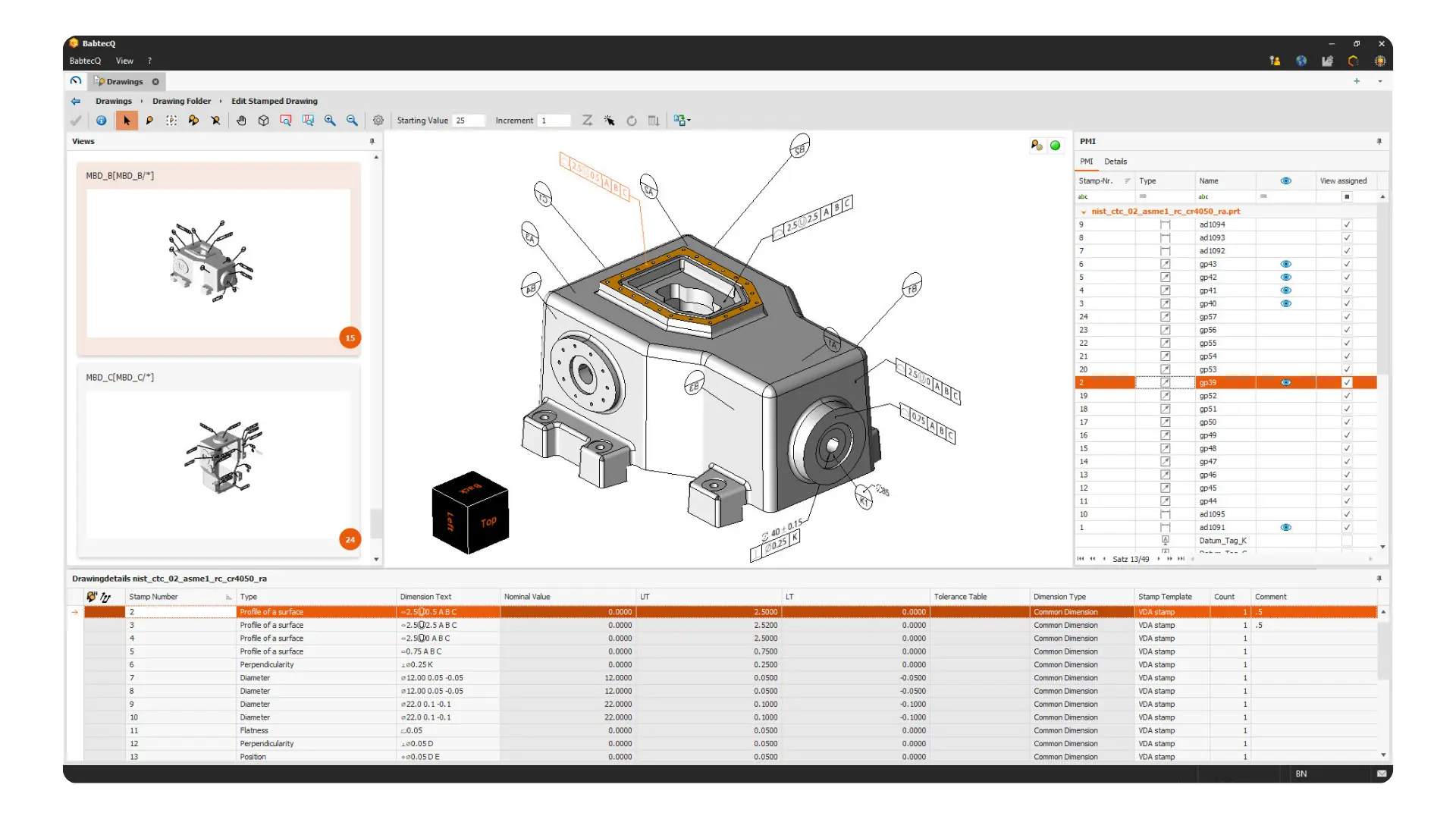
Increase the effectiveness of your quality management by using not only two-dimensional drawings but also 3D CAD models directly in the Babtec Software. This saves you the time-consuming task of deriving 2D drawings from your 3D models. During import, additional product specifications in the form of Product Manufacturing Information (PMI) are recognized and processed directly. The extracted drawing dimensions can be provided without media discontinuity to other modules of the Babtec Software, for example as part of an FMEA or Part Approval Process
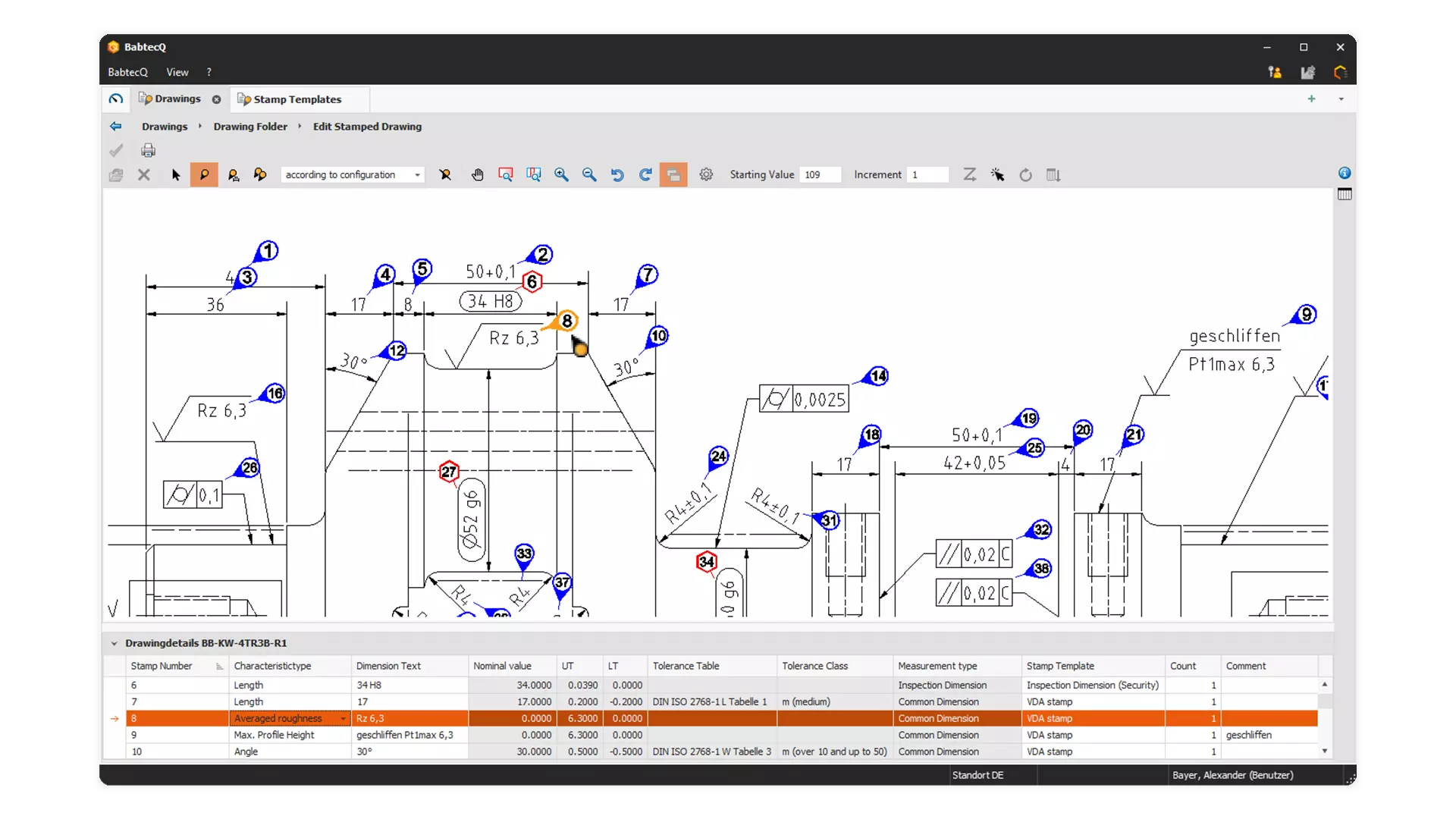
Create Inspection Data from CAD Drawings
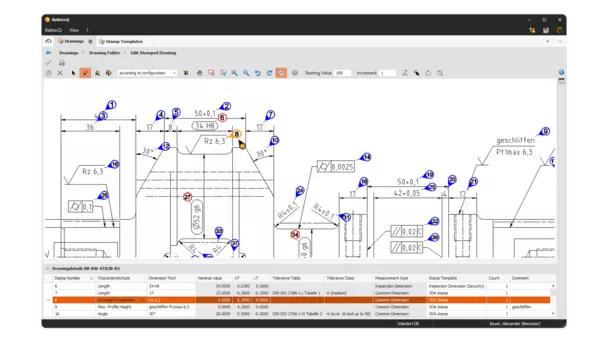
Drawing information are an essential component of quality inspections: with our CAD integration, you can convert product characteristics and dimensions from CAD drawings into quality-relevant inspection data for inspection planning at the push of a button. If the drawings are available in a standardized CAD exchange format (2D DXF, DWG format), inspection characteristics with their characteristic name, drawing dimension and the upper as well as the lower nominal limits can be generated directly from the drawing data. Our automatic detection of drawing dimension also analyzes any text information contained in a PDF file that you could also mark up using a PDF reader. In this way, dimension texts are reliably recognized and prepared as processable drawing dimensions – and without additional OCR software.
Compare CAD Drawing Versions

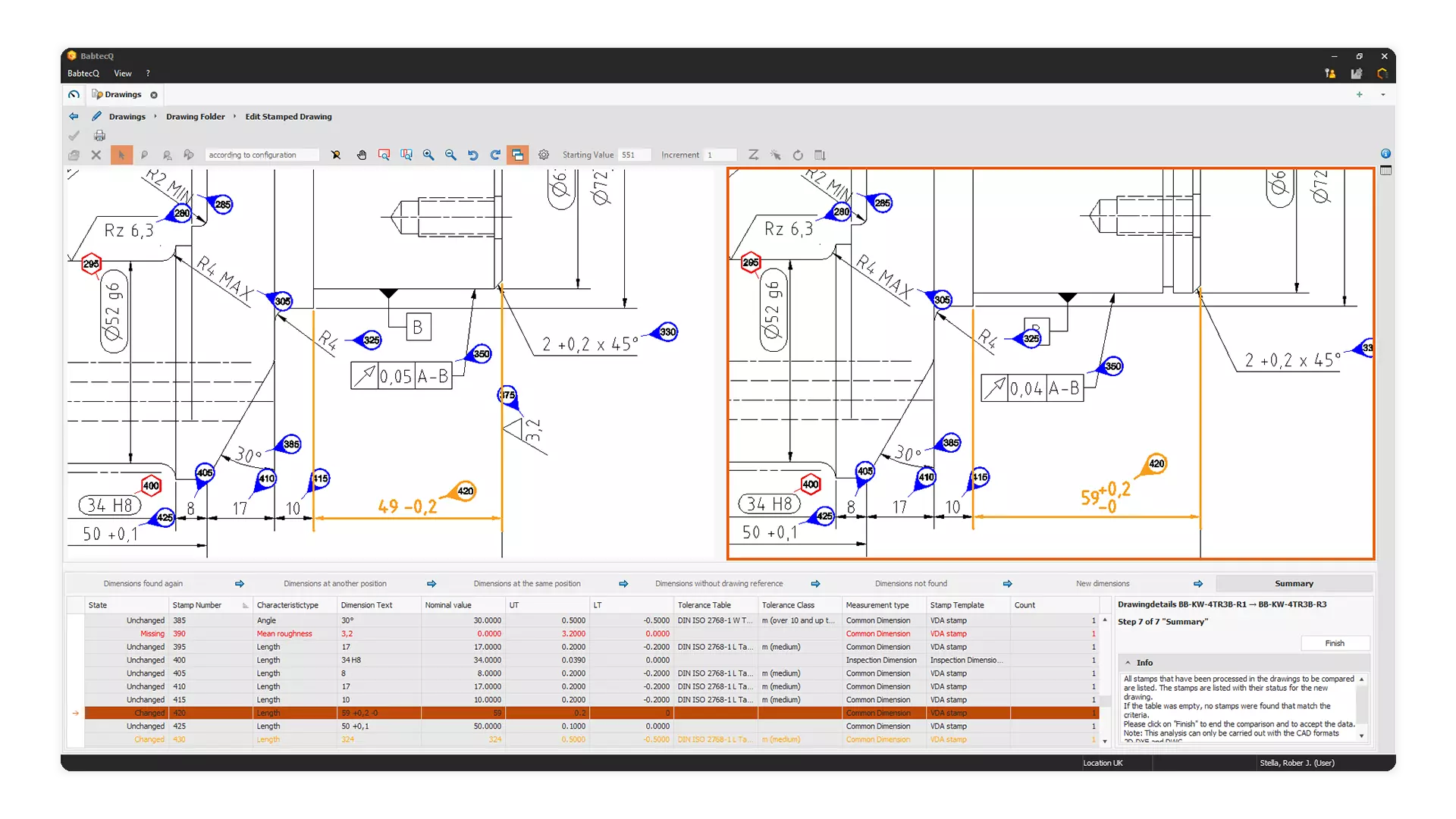
The function “Drawing Dimension Comparison” provides an assistant that enables the comparison of different drawing statuses. It guides you through 7 steps in which you can edit unchanged, moved, changed, omitted and added dimensions. In each step information is available, which explains what happens in this step and how the available tools work. Since the assistant supports you in all steps of the comparison, you get an optimal comparison result with just a few clicks.
Your Advantages at a Glance
- Automatically recognize and manage digitized drawing dimensions with our CAD integration and make them available to other modules
- Fast and convenient processing of 3D models including Product Manufacturing Information (PMI)
- Integrated CAD viewer for interactive use of CAD drawings in other modules
- Use of an import wizard for easy generation of inspection characteristics in inspection plans based on drawing dimensions
- Guided comparison of CAD drawings to update your drawing dimensions using a wizard
- Support for numerous standard formats (2D: DXF, DWG, PDF and common graphic formats / 3D: file formats of common CAD software such as STEP or PDF as well as manufacturer-specific formats including those from Siemens, Dassault Systems and PTC)
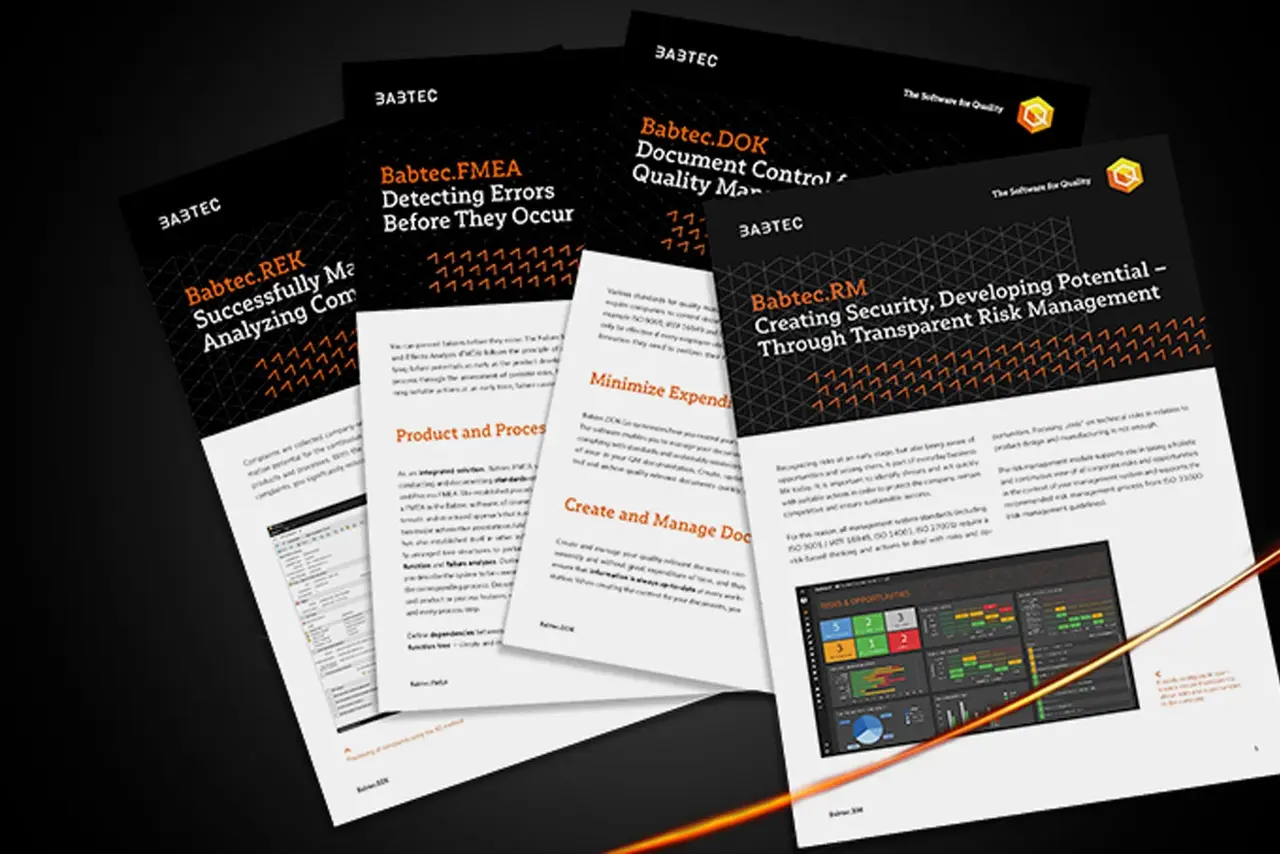
For more information, have a look at the CAD integration product sheet in the download area.
Would You Prefer a Brief Insight?
Then take a look at our webcast on the topic of CAD integration! You will receive initial information from our quality experts Lars van Straelen and Daniel von Sondern.
In this webcast, our experts show you how you can easily create your own drawing folders and define layouts, stamp your drawings effectively, create a production inspection plan and adapt and release the drawing at any time with the help of the CAD integration within our software.
You can find more webcasts on our YouTube channel.
Companies That Already Rely on Babtec
From Medium-Sized Family Businesses to International Corporations

















































Download Product Sheet
Your Contact to Us
Would you like more information about our products, perhaps even in a personal consultation? Then please feel free to contact us!
You can reach us at the following times:
Monday–Thursday, 9:00 a.m.–4:00 p.m.
Friday, 9:00 a.m.–1:00 p.m.
Are you already using our software and need support? Then please contact our support team directly.
Our colleagues will be happy to help you during our service hours:
Monday–Friday, 8:00 a.m.–5:00 p.m.